





demon horns logo
Alter Aeon
alteraeon.com 3000

How to connect to Alter Aeon

If you have a MUD client, the address is: alteraeon.com 3000

If you don't already have a MUD client (or don't know what a MUD client is), the easiest way to get playing is to download one of our custom game clients. For blind friendly clients, scripts, and other downloads, please see our Blind Support Page.

This is the recommended client for all versions of Microsoft Windows, and will download quickly even on a slow internet connection:


Download - AlterAeon.exe - 492 KB (Version 0.983)
Once you've downloaded the client, click on 'save to desktop' and you're ready to play!

Can't download? Try our browser based Flash client:

Play From your Browser (Requires Adobe Flash)
For Linux, Mac, or other clients, see our list of Alternative Mudding Clients. If you can't download and you're stuck with Windows Telnet, you may want to check out our Telnet Tips and Techniques article.

Looking for older clients? Beta, archive, and previous client versions can all be found in our Download Area.

I'm Connected, Now What?


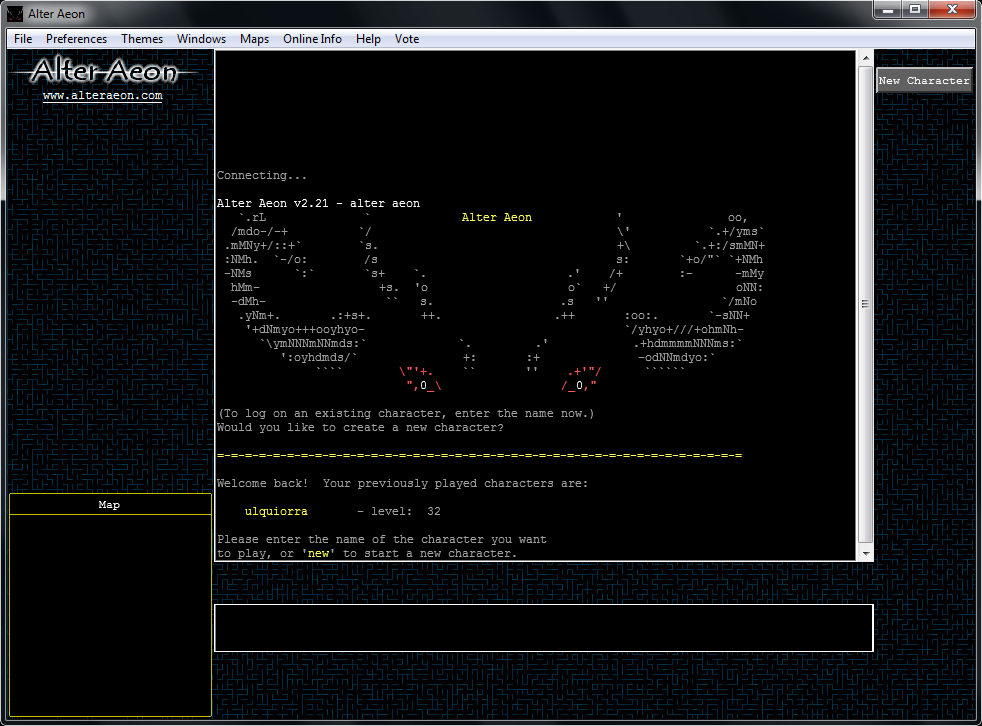
Alter Aeon login screen
The first thing you should see when you are connected is one of our login screens. The next step is to create a new character; creating a new character is very simple, and you can customize your character as you play the game.

To create your character, either click on the buttons or type in answers to the questions. Keep in mind that some of the features in the game can only be accessed by typing commands!

For detailed help on creating a new character, see our New Player Quickstart Guide.

We also have a detailed character creation guide that includes description of the classes and other options you can select when starting out.


Copyright (C) 2009 Dentinmud Internet Services - Contact Us